
Made for XGIMI
English on your XGIMI.
Install from a USB stick and get straight to English projector settings, a quick panel over HDMI, and a clean TV home screen.
- 7-day free trial.
- One-time per projector. No subscription.
- 14-day refunds
Everything included
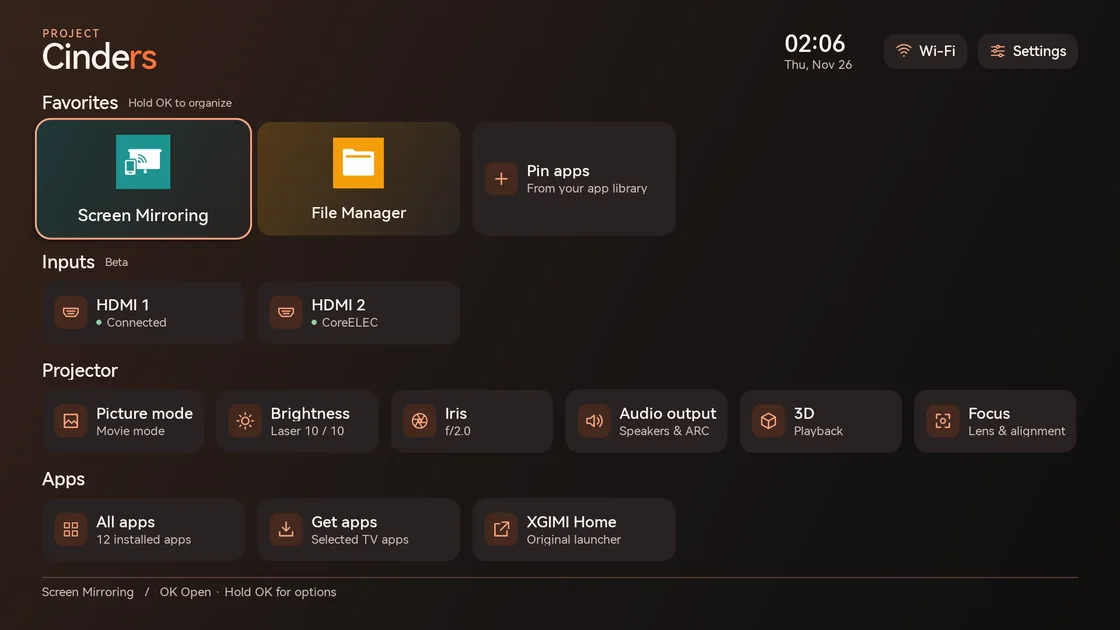
- PictureChoose from six picture modes: AI, Movie, Sport, Bright, Master color accuracy, and Performance.
- MotionChoose Original Frame (原帧, also called FD Boost) separately from MEMC Off.
- 3DChoose side-by-side, top-and-bottom, or Blu-ray 3D frame packing where the projector supports it. The RS30 Pro Flagship Edition’s stock menu hides frame packing.
- SoundSound modes: AI, Music, Movie, Karaoke, Sports, Standard.
- HDMIHDMI inputs with live signal status and HDMI-CEC device name, e.g. HDMI 2 · CoreELEC.
- Quick panelOpen a translucent panel on the right without leaving your HDMI input.
- TV launcherPin and reorder favorites, switch HDMI inputs, and see current projector values from the English home screen. Browse all apps or open app info.
- System and app languagesSwitch Android’s system language to English or restore the original language.
- Clean upClean up disables apps without deleting them. Restore the apps Project Cinders disabled in one step.
- Get apps downloaderGet apps offers a growing list of trusted TV apps from their official sources. Start an install in one click. Project Cinders checks the app before Android asks you to confirm.
English where you need it
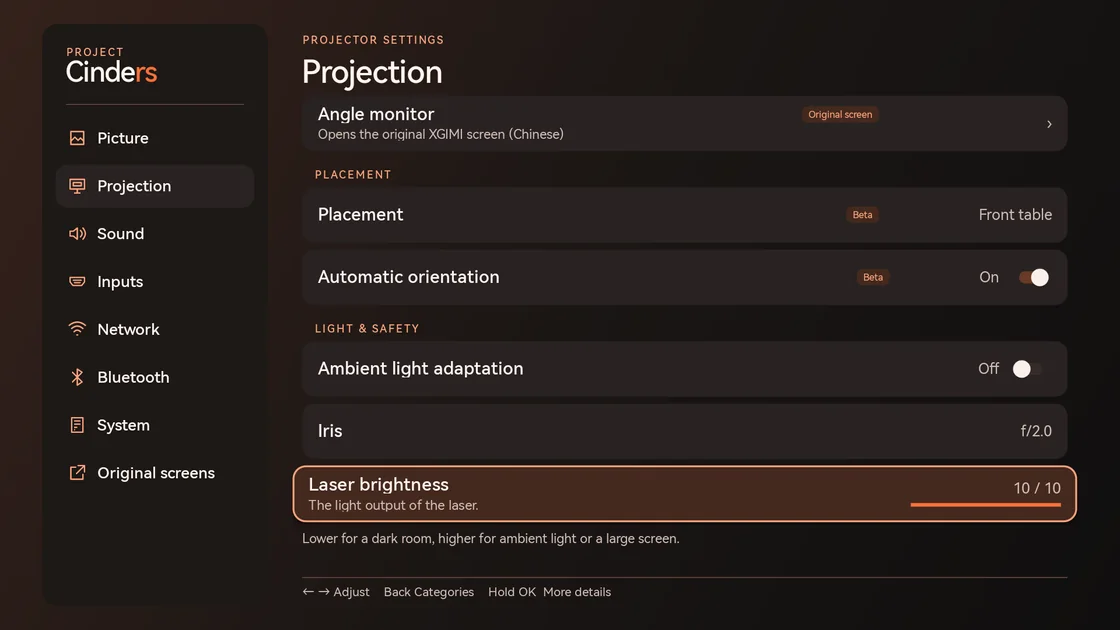
Read projector settings in English, with help beside each control. Switch Android to English and set a language for individual apps.
See all features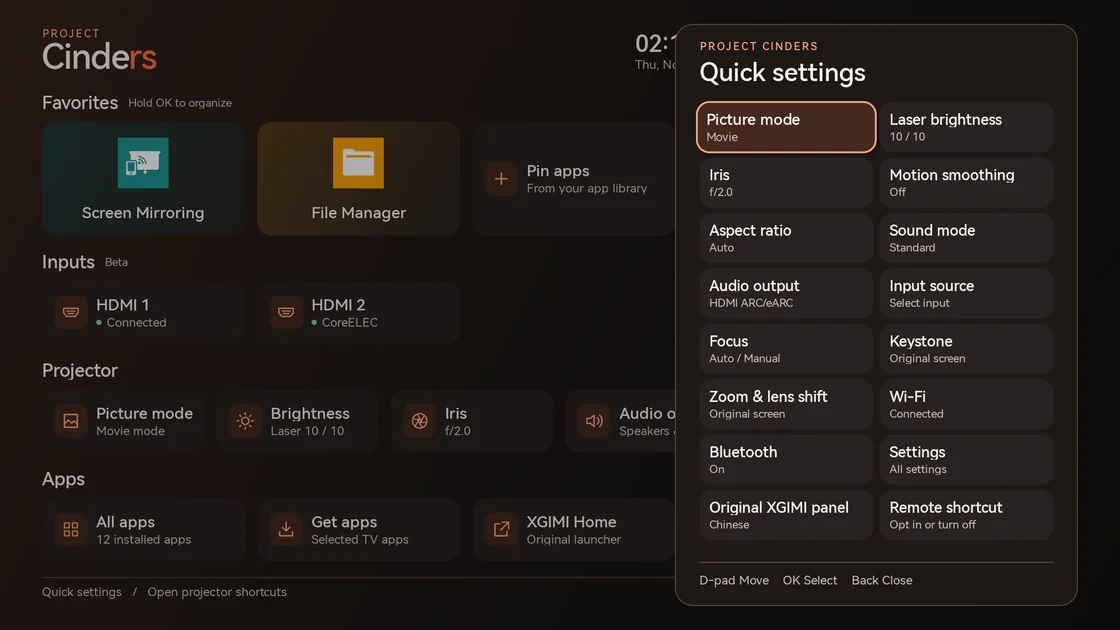
Stay on your HDMI input
Open the quick panel over the picture to adjust light, motion, or sound without leaving the input.
See all features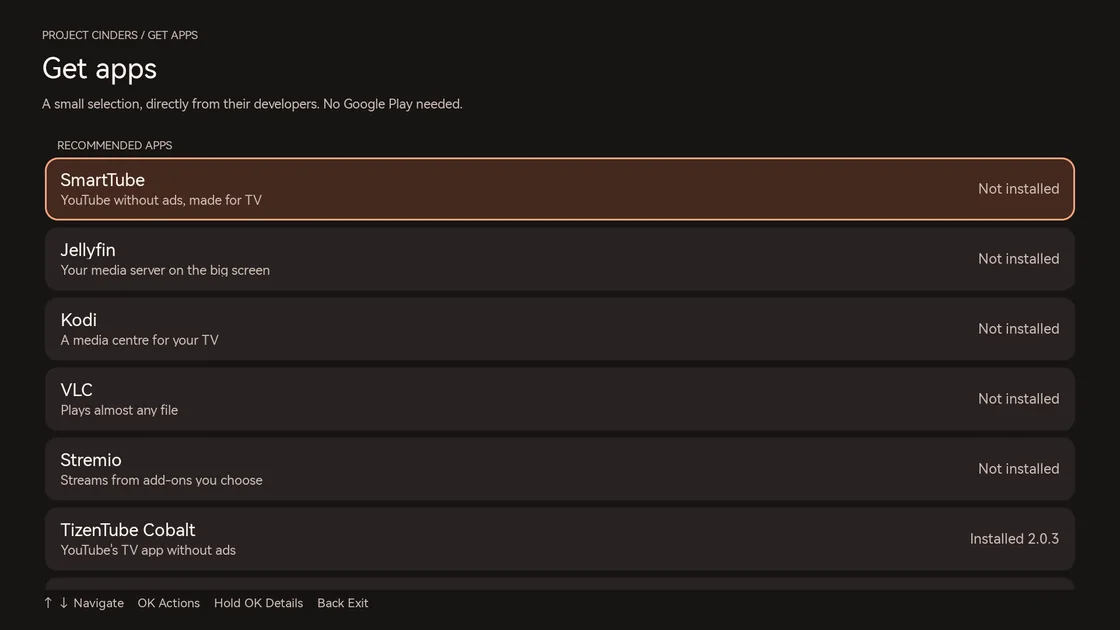
Install TV apps without the runaround
Get apps offers a growing list of trusted TV apps from their official sources. Start an install in one click. Project Cinders checks the app before Android asks you to confirm.
On XGIMI firmware without an “Install unknown apps” screen, choose Allow in Project Cinders when another app asks to install apps. Manage that permission under Settings → Apps → Install access.
See all featuresLook and screensaver
Make it yours
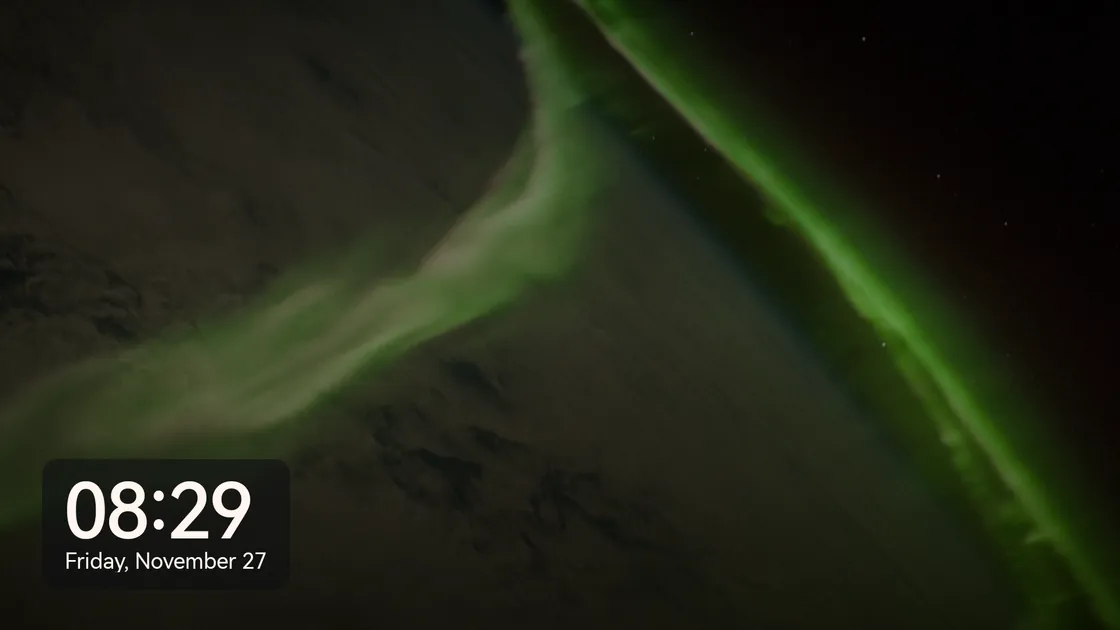
Choose from 5 themes, 6 space photos, or your own photo, sent from your phone by QR.
Use the Cinders slideshow as the screensaver. XGIMI default puts the original back exactly.
See all features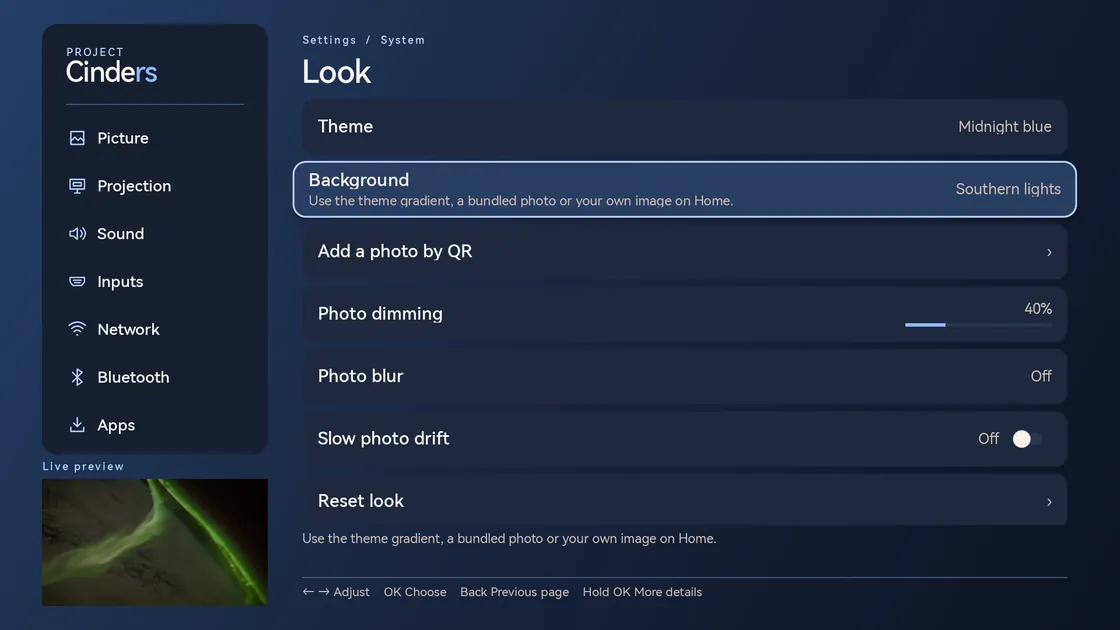
Try it on your projector.
US$65
7-day free trial. US$65 once per projector if you buy. No subscription.
One active projector per key. Move the license up to three times in any 365 days.
What stays free
Try all available controls for 7 days. After the trial:
- Free
- The English home screen, system and per-app languages, Clean up, Get apps, browsing settings and the quick panel, input switching, test patterns, and help.
- With a license
- Change projector settings, including picture, light, focus, projection, sound, and HDMI options. A license also unlocks these changes from the quick panel.
BF2026 takes 15% off until .
Black Friday checkout closes 30 minutes before the cutoff.
Finish on your phone
- Activate
- Scan a QR code to activate your projector. No license key to type with the remote.
- Add support photos
- Scan after sending a report to add photos directly from your phone.
- Manage or move your license
- Scan to manage your license or move it to another projector.
Maintained and updated in the app
Project Cinders is actively maintained. Its built-in updater, under Settings → System → Updates, checks daily while you use the app. It verifies the signature and SHA-256 hash of each download, then Android asks you to confirm installation.
Trying another XGIMI model?
Other XGIMI models can run the 7-day trial. No purchase is needed, and the free features keep working afterward. If something doesn’t work, open Settings → System → Compatibility and choose Ask for support.
Review the report before sending it. It includes the compatibility check, firmware and build details, XGIMI system app versions, display and HDMI input information, and recent diagnostics. The app automatically removes serial numbers, IP addresses, email addresses, and full license keys.
After sending, scan the QR code to add photos from your phone. Reporting works during the trial and on the free tier. That’s how new models get added.