
Made for XGIMI
Features
Install from a USB stick and get straight to English projector settings, a quick panel over HDMI, and a clean TV home screen.
Built for XGIMI projectors. Native support for the RS30 Pro Flagship Edition and similar models; other XGIMI models are in early access. Try it free first.
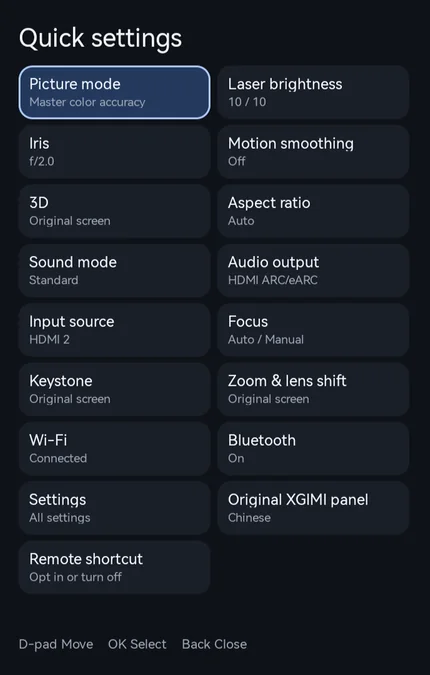
Picture, sound and HDMI
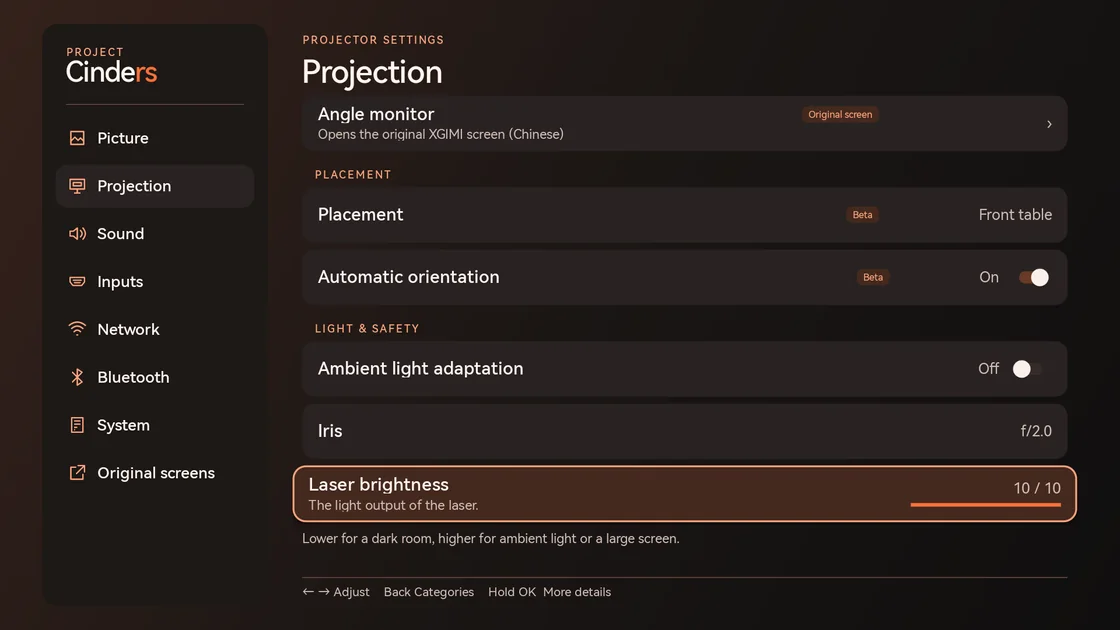
Picture
- Choose from six picture modes: AI, Movie, Sport, Bright, Master color accuracy, and Performance.
- Brightness, contrast, saturation and sharpness (0–100).
- Aspect ratio: Auto, 16:9, 4:3, Original.
- Noise reduction: Off, Low, Medium, High, Auto.
- Gamma from 1.8 to 2.6 in 0.1 steps.
- Local, dynamic and AI contrast, super resolution, color optimization, dynamic black enhancement and rainbow-effect reduction.
- HDMI color range: Auto, Full, Limited.
- Color space: Native, BT.2020, Adobe RGB, DCI-P3, Rec.709. Beta
- 14 built-in test patterns for black and white levels, grey ramps, 75% bars, focus, geometry and overscan, fine detail and RGB.
- 4 saved profiles for about 30 picture, light, sound and HDMI settings, with one-step undo.
Motion
- Motion smoothing (MEMC): Off, Low, Medium, High.
- Choose Original Frame (原帧, also called FD Boost) separately from MEMC Off.
3D Beta
- Choose side-by-side, top-and-bottom, or Blu-ray 3D frame packing where the projector supports it. The RS30 Pro Flagship Edition’s stock menu hides frame packing.
- Guards against HDR, game mode and 3D-to-2D conflicts. The original 3D page is one click away.
HDR
- Turn dynamic tone mapping on or off while HDR is playing. Beta
Projection & light
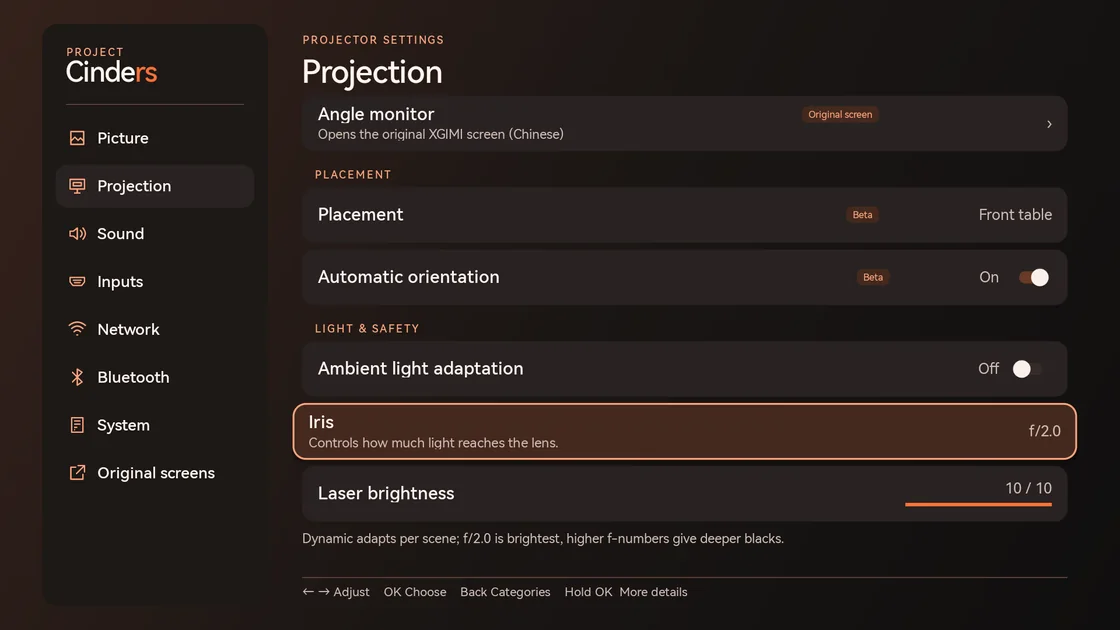
- Iris: Dynamic, or f/2.0 to f/7.0.
- Laser brightness: 1–10.
- Color temperature: Standard, Movie, D65.
- Ambient light adaptation.
- Smart focus, autofocus now Beta, and manual focus.
- Realtime and startup keystone, obstacle avoidance and screen alignment. Beta
- Front, rear or ceiling placement; automatic orientation. Beta
- Automatic wall color correction. Beta
- Device temperature readout.
- Open the original XGIMI editors for keystone, zoom and lens shift, image position, rotation, and angle monitoring.
Sound
- Sound modes: AI, Music, Movie, Karaoke, Sports, Standard.
- Choose PCM, Passthrough, or Auto for digital audio output. Optical and HDMI ARC or eARC share this setting.
- eARC toggle.
- Automatic or manual output: speakers, optical, ARC/eARC, Bluetooth, headphones or USB.
- Dolby AC-4 dialogue enhancement, DTS dynamic range compression and volume levelling. Beta
- Bluetooth audio delay: 0–200 ms. Beta
- Key tones.
HDMI & gaming
- HDMI inputs with live signal status and HDMI-CEC device name, e.g. HDMI 2 · CoreELEC.
- One-click input switching, with the original source picker as fallback. Beta
- HDMI-CEC, CEC wake and auto-switch to a new signal.
- HDMI game enhancement: Off, On, Auto. Beta
- Latency: Basic or Top speed. Beta
- Allow ALLM. Beta
- Read-only EDID; never written.
Quick panel, home and apps
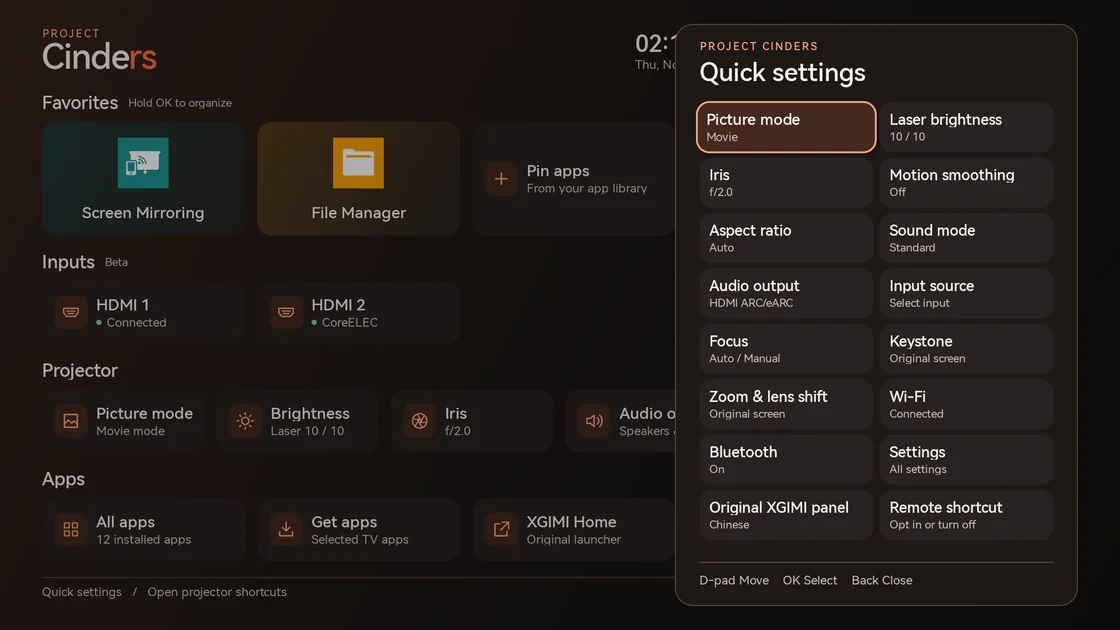
English quick panel
- Open a translucent panel on the right without leaving your HDMI input.
- 17 live tiles: picture mode, laser, iris, motion, 3D, aspect, sound mode, audio output, input, focus, keystone, zoom, Wi-Fi, Bluetooth, settings, the original XGIMI panel, and the remote shortcut.
- Opens in under 0.3 s on the test unit.
- Optional hold-MENU shortcut. The dedicated XGIMI quick button still opens the stock panel. Beta
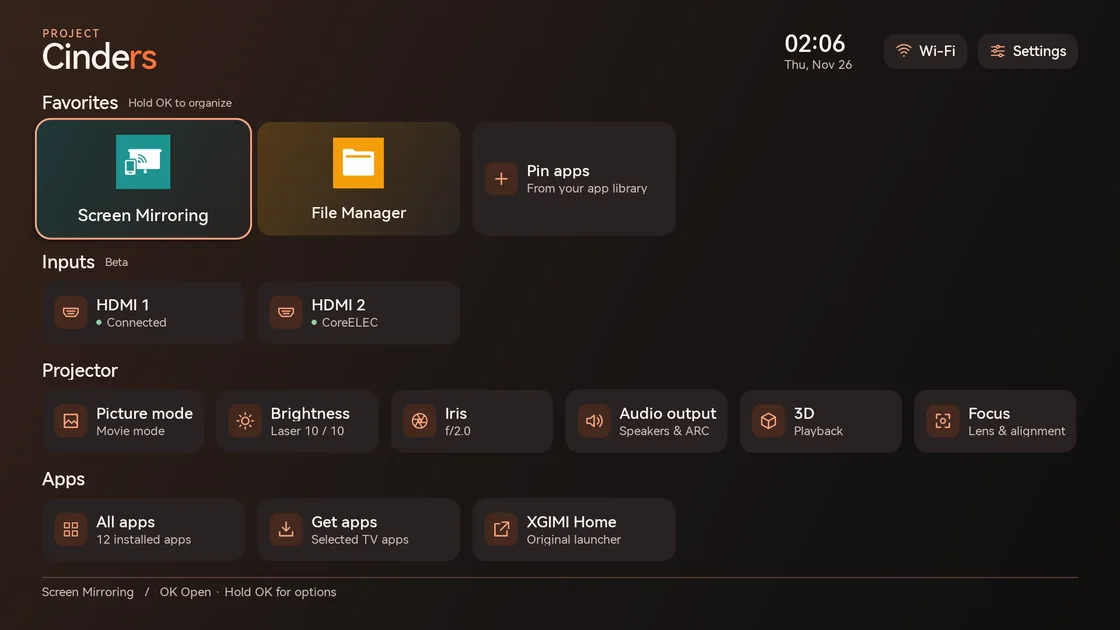
Launcher
- Pin and reorder favorites, switch HDMI inputs, and see current projector values from the English home screen. Browse all apps or open app info.
- Set Project Cinders as the default Home button action or keep XGIMI Home. The stock launcher stays installed.
- About 2.8 MB
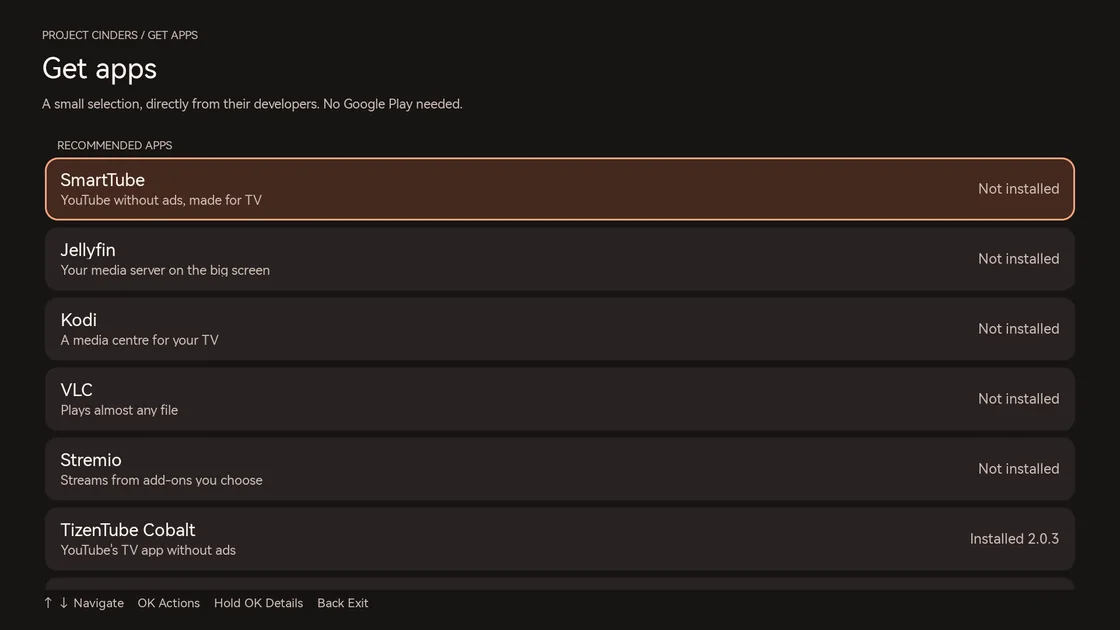
Get apps
- Get apps offers a growing list of trusted TV apps from their official sources. Start an install in one click. Project Cinders checks the app before Android asks you to confirm.
- On XGIMI firmware without an “Install unknown apps” screen, choose Allow in Project Cinders when another app asks to install apps. Manage that permission under Settings → Apps → Install access.
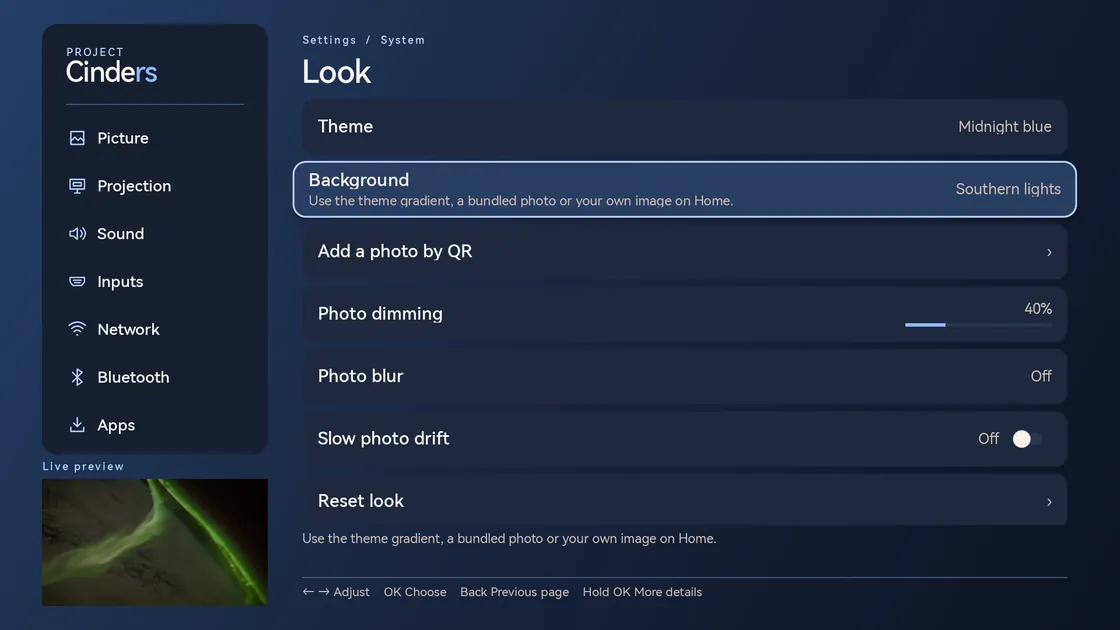
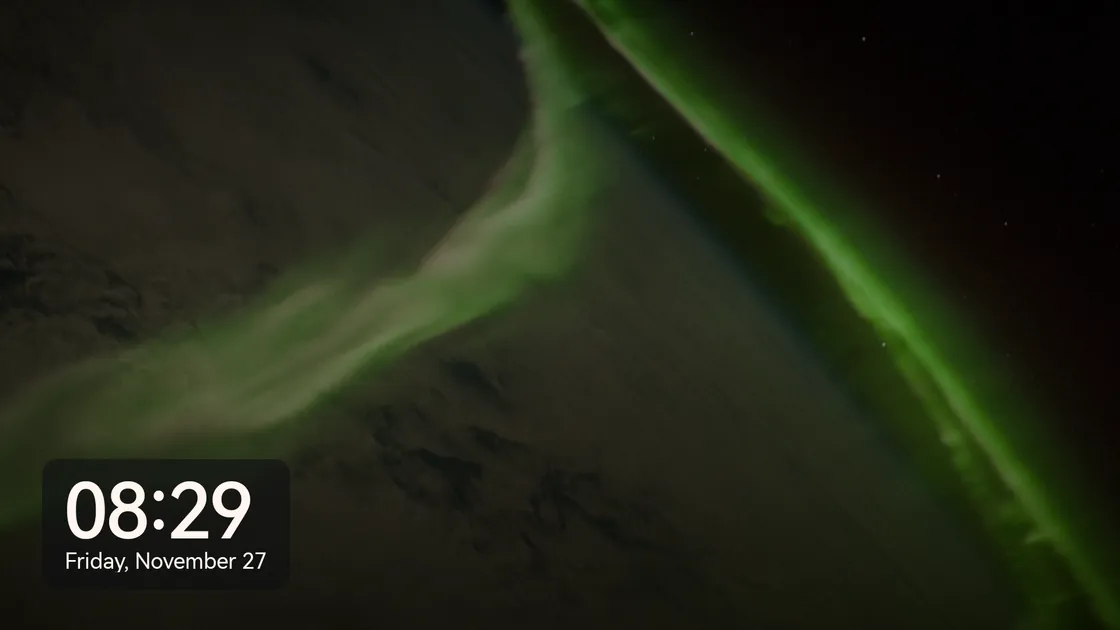
Look and screensaver
- Choose from 5 themes, 6 space photos, or your own photo, sent from your phone by QR.
- Use the Cinders slideshow as the screensaver. XGIMI default puts the original back exactly.
Cleanup
- Minimal, Recommended and Advanced tiers disable selected ads, bug and log reporters, and bundled music, karaoke, tips and more.
- Clean up disables apps without deleting them. Restore the apps Project Cinders disabled in one step.
Language, setup and license
Language
- Read settings in English, with help on every row.
- Switch Android’s system language to English or restore the original language.
- Prevent XGIMI Settings from switching the system back to Chinese.
- Set apps to English, Chinese, or the system default.
- Use the glossary to read the stock screens that stay in Chinese.
- 10 app languages.
Setup & safety
- Skip steps in first-run setup and return to them later.
- On-device helper; no PC needed after setup.
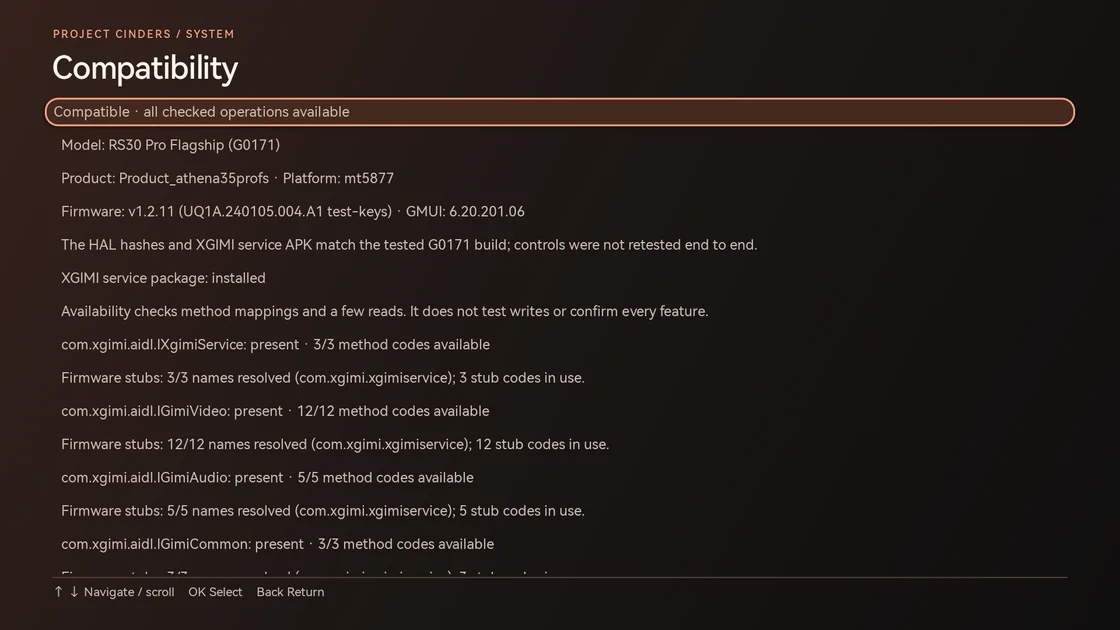
- Run the compatibility check to see which controls are available on your firmware and send a report.
- Get a notice if a firmware update affects available controls.
- Review and reverse setup changes from one screen.
- Confirm changes that can affect other projector features.
- Never touches calibration, white balance, EDID, factory menus or firmware.
- Install by USB stick or ADB. Scripts for Windows, macOS and Linux.
Activation & support
- Scan a QR code to activate your projector. No license key to type with the remote. Scan to manage your license or move it to another projector.
- 7-day free trial. After activating online, connect once more after the 14-day refund window to finish activation for offline use. Without that final check, paid features stop after 30 days and return when you connect.
- One active projector per key. Move the license up to three times in any 365 days.
- Refunds within 14 days, no questions asked. One self-service refund per customer. After 14 days, we refund only if the app fails on a supported model and we can’t fix it. A chargeback revokes the license when the projector next checks in.
- Send bug or projector-support reports from the app, then add photos from your phone via QR.
- Check for updates in the app. Project Cinders verifies the signature and waits for your confirmation before installing.
What stays free
Try all available controls for 7 days. After the trial:
- Free
- The English home screen, system and per-app languages, Clean up, Get apps, browsing settings and the quick panel, input switching, test patterns, and help.
- With a license
- Change projector settings, including picture, light, focus, projection, sound, and HDMI options. A license also unlocks these changes from the quick panel.